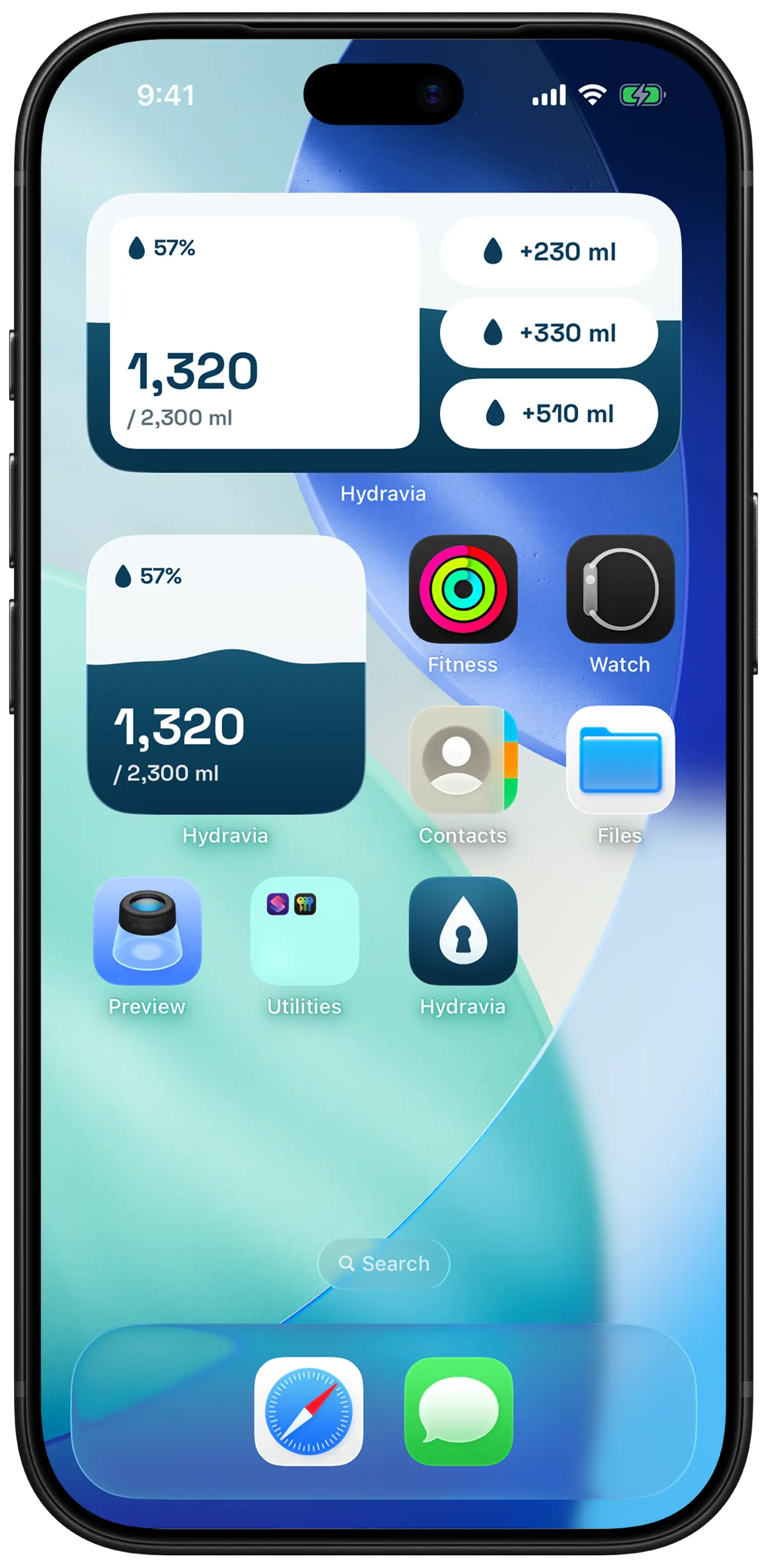
Widgets that actually help
Your progress on the Home Screen, for free. With Pro, add a glass from the widget without opening the app, and follow your day on the Lock Screen.
iPhone and Apple Watch
Hydravia is the iPhone and Apple Watch app that actually gets you drinking: when the reminder lands, the apps you chose lock. Drink your dose and everything opens back up.
Free · Pro with a 7-day trial
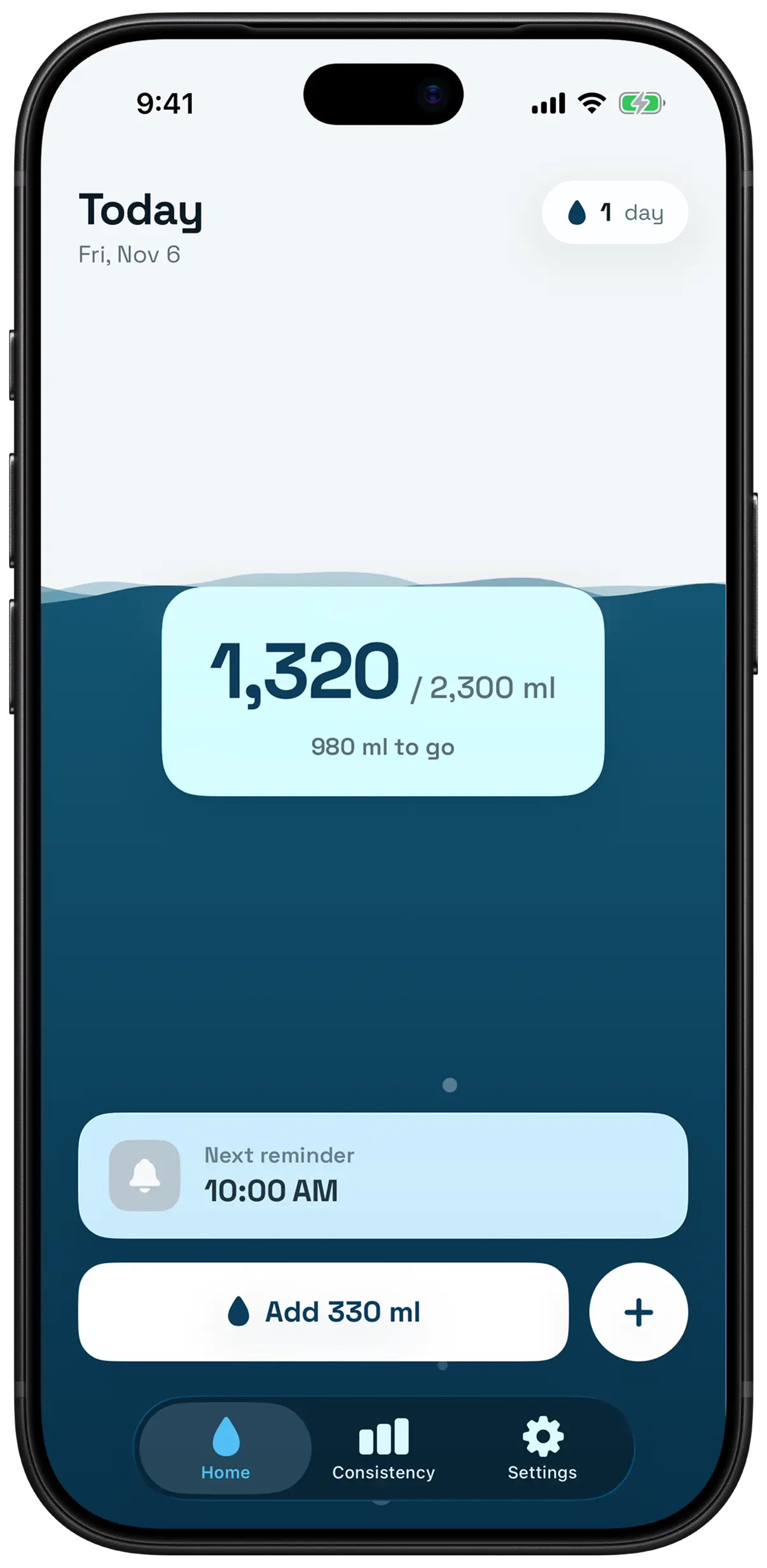
Hydration apps send one more notification, you swipe it away, and nothing changes. Passive reminders ask for willpower at the worst possible moment: when you are already deep in something else.
Hydravia does not remind you to drink. It makes the moment impossible to ignore.
THE RITUAL
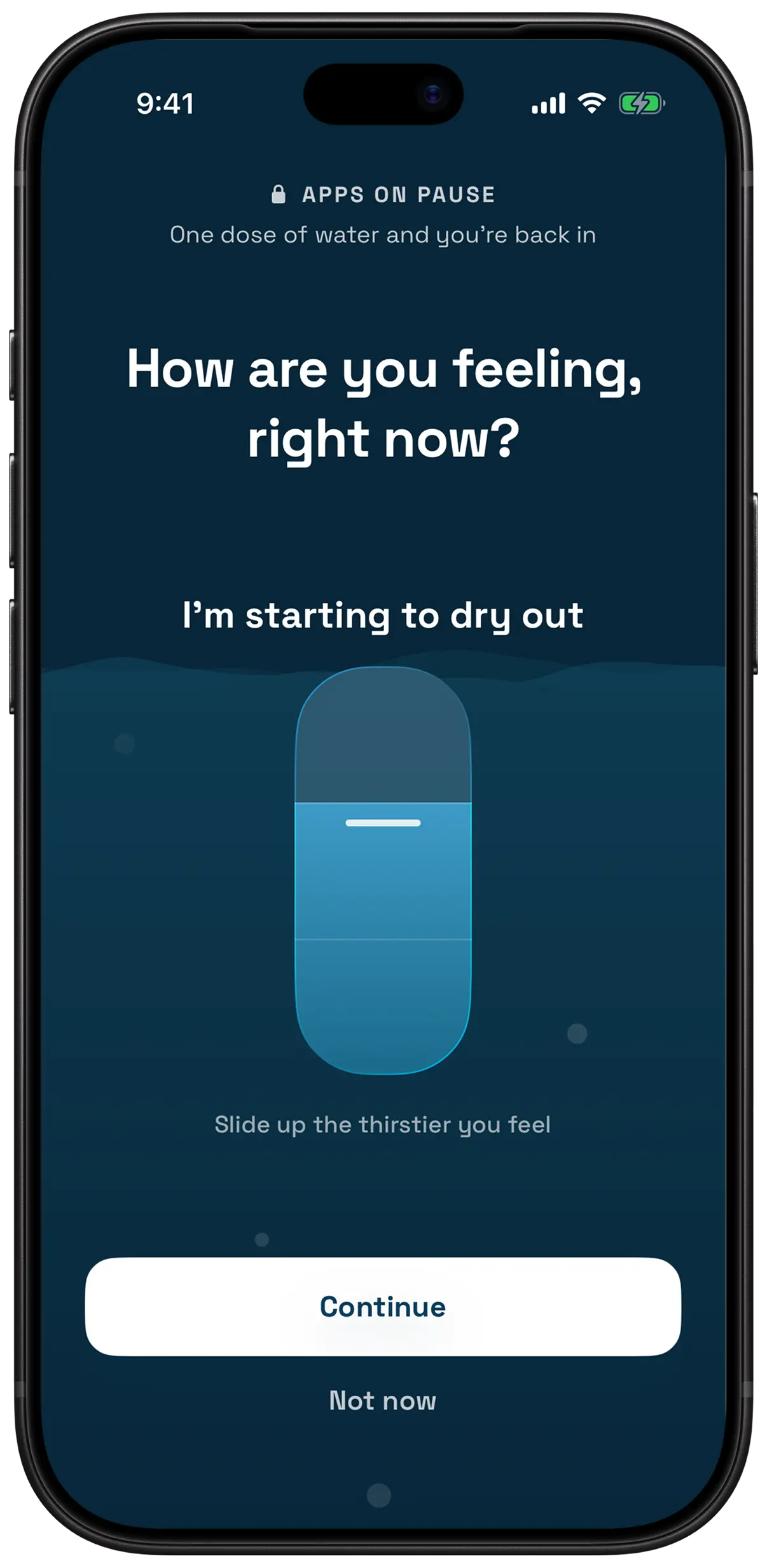
At the interval you chose, the apps you picked refuse to open. Only during your active hours, never at night.
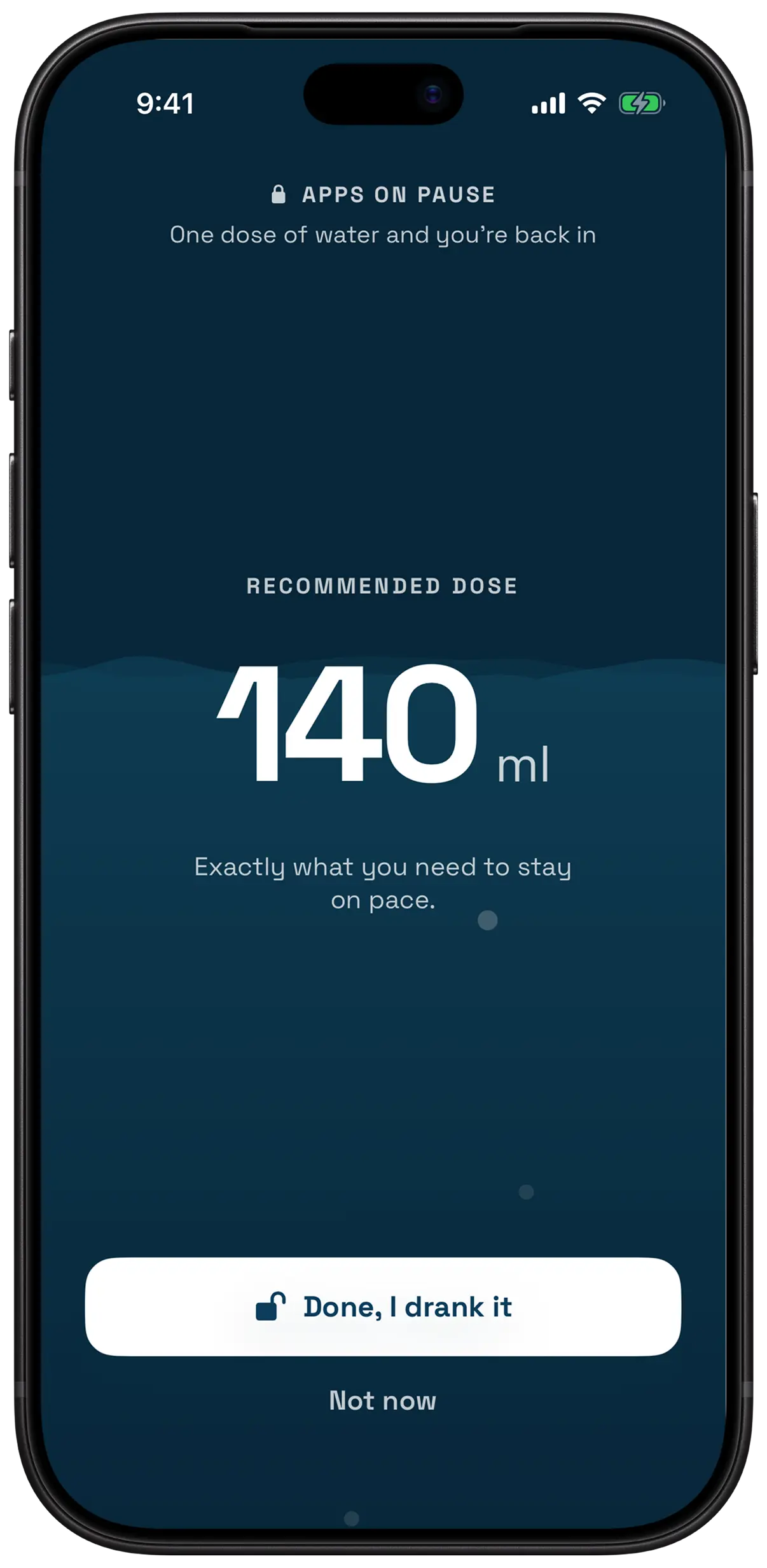
One question. Your answer, today’s weather and what you have already drunk add up to a precise dose, not a generic glass.
Confirm, and the lock lifts until the next reminder. The water level rises behind the screen. Goal reached? The lock rests until tomorrow.
WHAT CHANGES
Your weight sets the daily goal. What you have already drunk, the time left before bed, how thirsty you are and the outside temperature adjust every dose.
Hydravia uses Apple’s Screen Time to block the apps you choose. You decide which ones: Instagram and TikTok, or none at all.
As soon as today’s goal is reached, the reminders stop and the lock rests until tomorrow. Not one reminder too many.
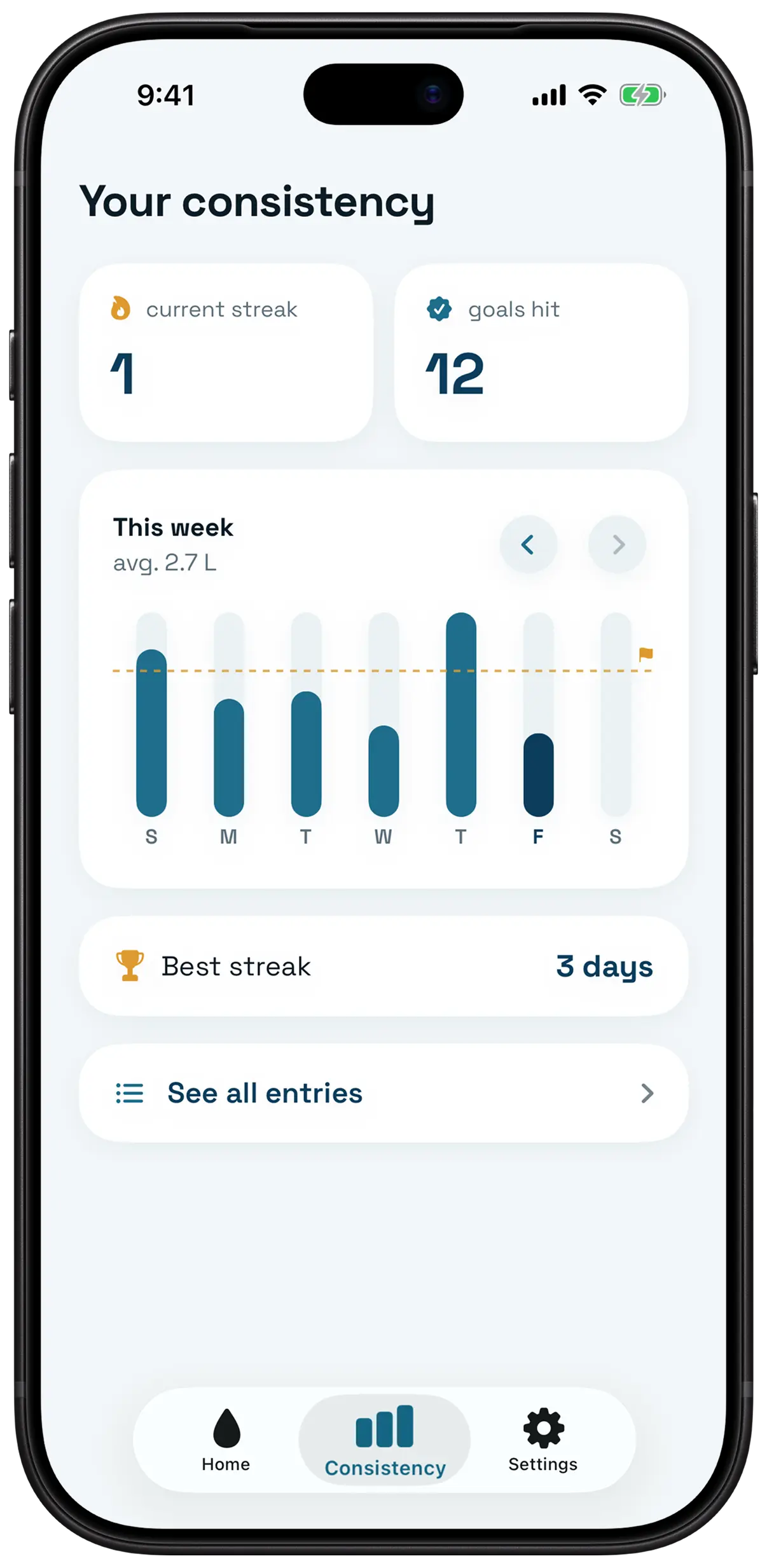
A week at a glance, your current streak, your record. Enough to keep you going, without ever lecturing you.
WHEREVER YOU LOOK
Your progress on the Home Screen, for free. With Pro, add a glass from the widget without opening the app, and follow your day on the Lock Screen.
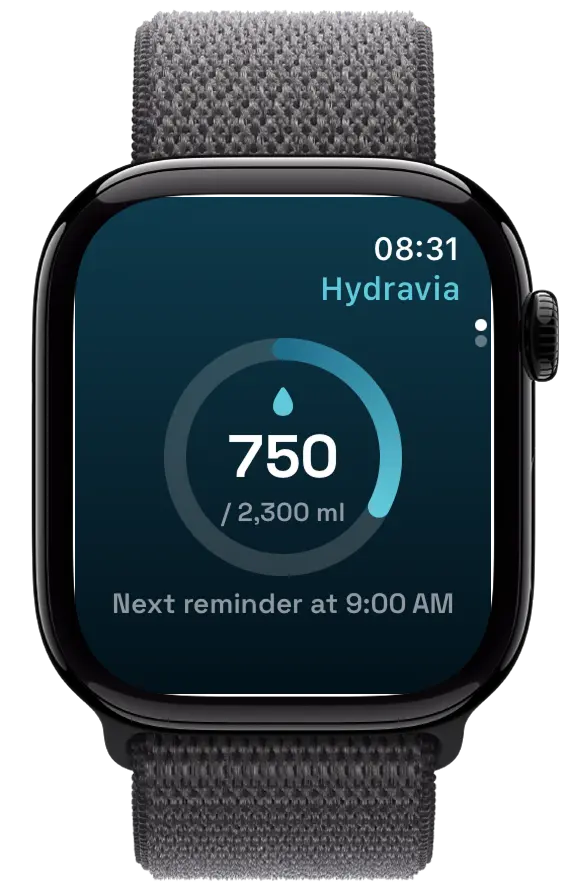
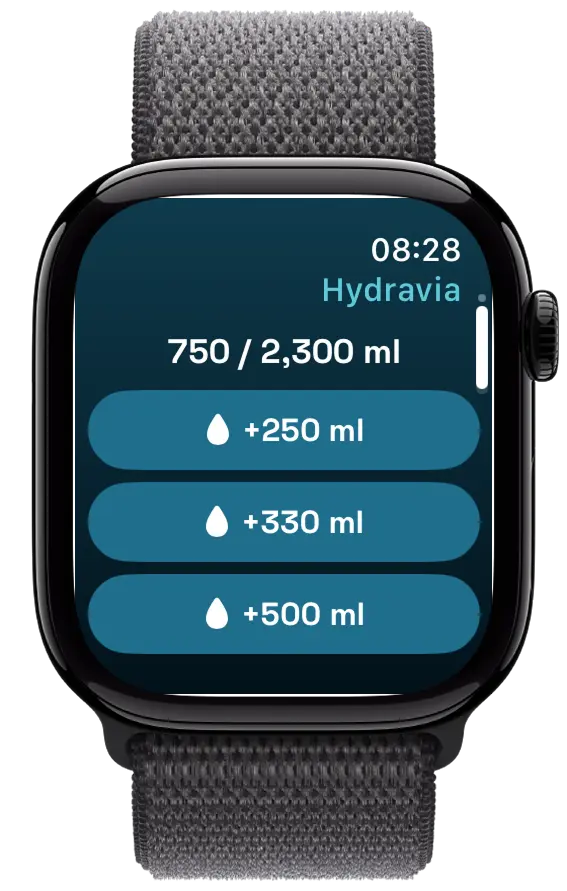
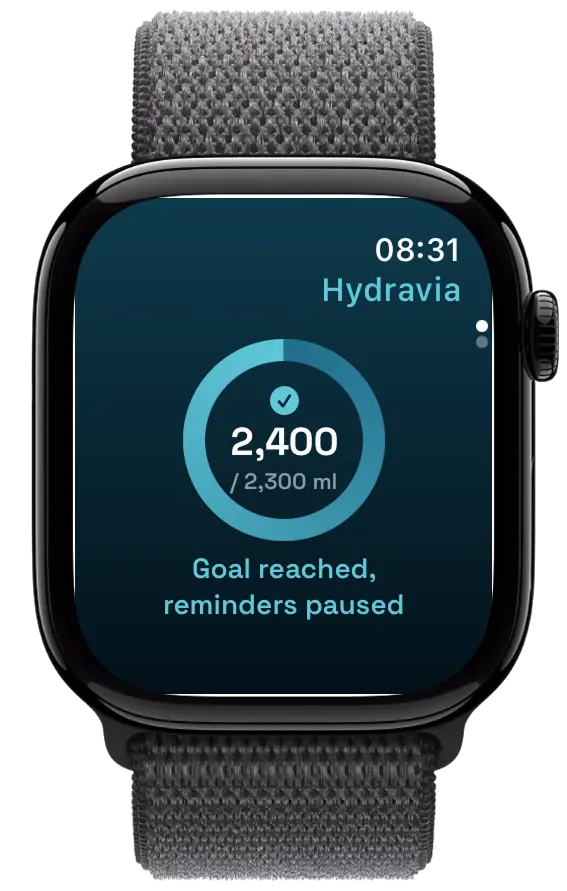
Today’s ring, the time of the next reminder and complications for your watch face. With Pro, your three favourite amounts pour in one tap, right from your wrist.
PRICING
€0 forever
€2.99 per month
or €19.99 a year, or €39.99 once and for all
Everything in Free, plus:
7-day trial on subscriptions
| Feature | Free | Hydravia Pro |
|---|---|---|
| Water tracking and history | Included | Included |
| Reminders during your active hours | Included | Included |
| Apps and sites locked | 1 app | No limit |
| Progress widget, Apple Watch and complications | Included | Included |
| Quick-add and Lock Screen widgets | Not included | Included |
| Dose adjusted to your thirst and the weather | Not included | Included |
| Pour a glass from your Apple Watch | Not included | Included |
| Price | €0 | €2.99 a month, €19.99 a year or €39.99 for life |
Prices in euros. The App Store shows the price in your currency.
WHO MAKES IT
Hydravia is designed and built in Cugy, in the canton of Fribourg, by Nicolas Meuwly, independently. It started from a simple observation: you can swipe a reminder away, not a lock.
A question, an idea, a bug? Write to contact@hydravia.app : the person who makes the app answers.
QUESTIONS
It locks the apps you picked, not the whole phone. Calls, messages and anything you did not select stay available. And only during your active hours.
A plain reminder is gone with one swipe. With Hydravia, the apps you picked lock when the reminder lands and only open again after the ritual, the time it takes to drink your glass. The reminder can no longer slip by.
The ritual takes seconds: answer one question and confirm. Nothing forces you to actually drink, Hydravia takes your word for it. The point is a pause, not a prison.
Today’s reminders stop and the lock rests until tomorrow. If you raise your goal or delete a glass, they come back.
No. Everything works with the iPhone alone: reminders, the lock, tracking and widgets. The Apple Watch is a bonus to see today’s water at a glance and, with Pro, pour a glass from your wrist.
Yes. The Apple Watch app shows today’s water and the next reminder, with complications for your watch face, for free. With Pro, you add a glass from your watch. Your iPhone keeps the history: the two talk directly, without going through a server.
On iOS it is the only way to block other apps. Apple keeps that access very tightly controlled: Hydravia can put a lock in place, but cannot read any of your usage statistics. You can revoke the permission at any time in Settings.
The European Food Safety Authority (EFSA) recommends about 2 litres of water a day for adult women and 2.5 litres for men, food included: it provides roughly 20% of it. Hydravia works out your own goal from your weight, about 33 ml per kilo.
The daily goal is worked out from your weight: roughly 33 ml per kilo, always between 1.5 and 4 litres. Each dose then spreads whatever you have left to drink across the reminders before bedtime, and adjusts for your thirst and the outside temperature.
iPhone with iOS 26 or later, and optionally Apple Watch with watchOS 26. The lock uses Screen Time, Apple’s own system, on the iPhone.
Tracking, reminders, the progress widget, the Apple Watch app and the ritual on one app are free. Hydravia Pro unlocks the rest: a monthly or yearly subscription with a seven-day free trial, cancellable at any time from your phone’s settings (we let you know before the trial ends), or a one-time lifetime purchase.
Free to start. Pro has a seven-day trial, and cancels in two taps if it is not for you.
Free · Pro with a 7-day trial